

Contents
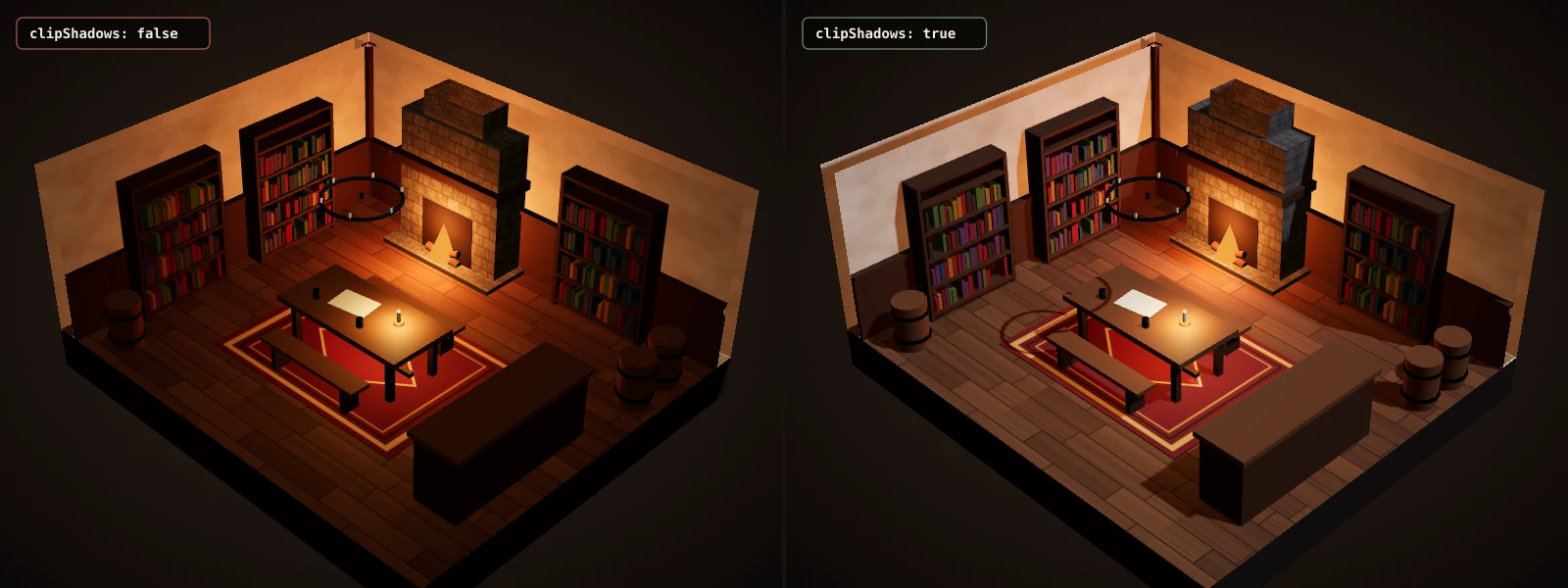
Slice the roof off a Three.js room with renderer.clippingPlanes and the room goes dark. The invisible roof is still casting shadows.
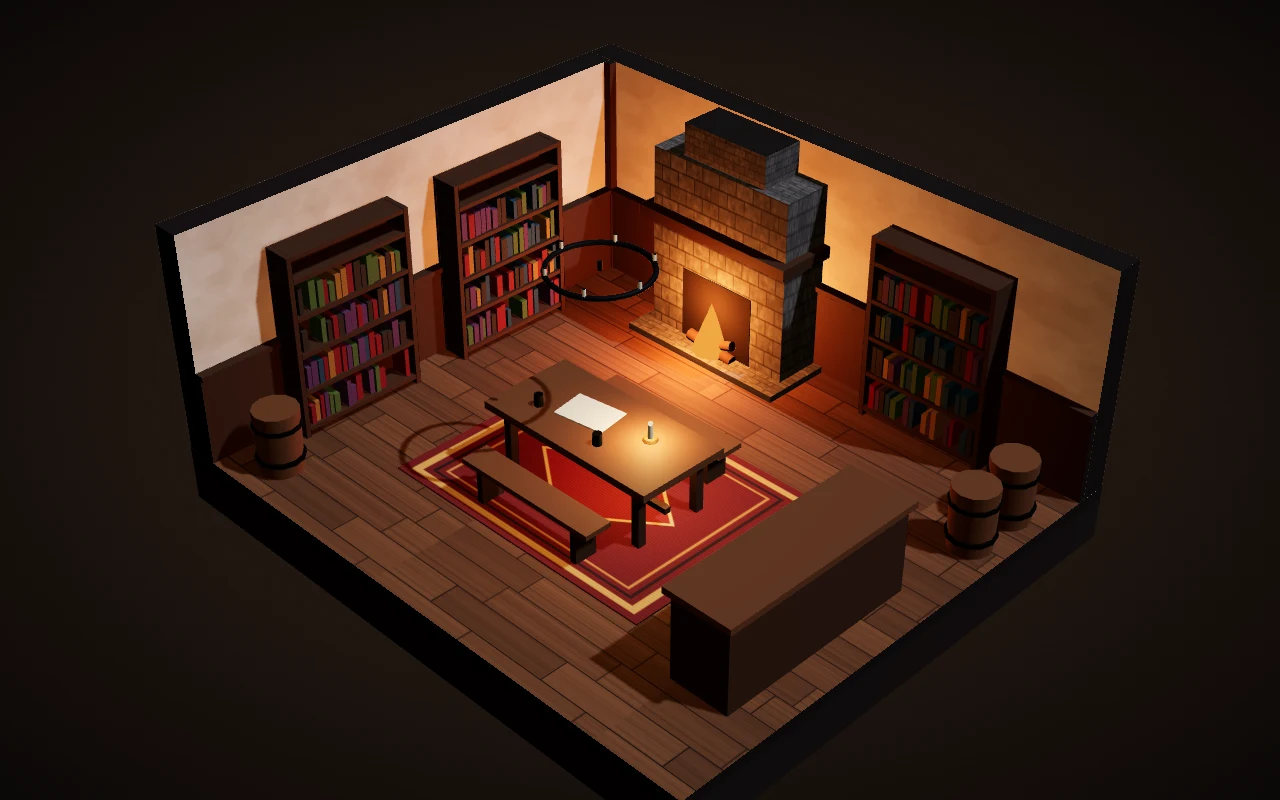
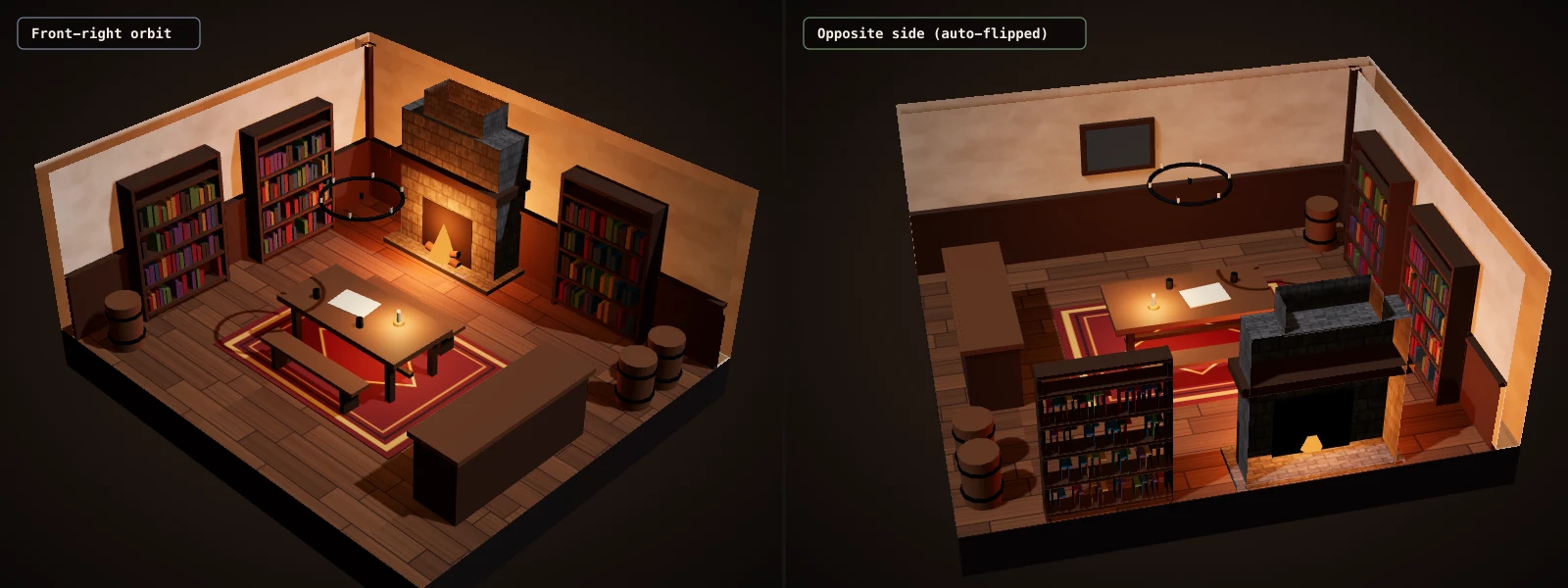
In D20 Adventures, rooms like The Dragonbone Inn are built with four walls and a roof. For the Realm of Myr Asset Library and our isometric views, I built a cutaway module (asset-library/iso.ts) to slice them open like tabletop dioramas, then pulled it out into a standalone MIT repo (three-isometric-cutaway).
01Why the Room Stayed Dark
Three.js skips global renderer.clippingPlanes in shadow maps, so the cut-away roof still blocks the key light. Turn on local clipping and attach the five THREE.Planes to every mesh material with clipShadows = true:
src/cutaway.ts
renderer.localClippingEnabled = true
world.traverse((obj) => {
  if (!(obj instanceof THREE.Mesh)) return
  const mats = Array.isArray(obj.material) ? obj.material : [obj.material]
  for (const m of mats) {
    m.clippingPlanes = planes
    m.clipShadows = true
    m.needsUpdate = true
  }
})
02Floating Wall Trim
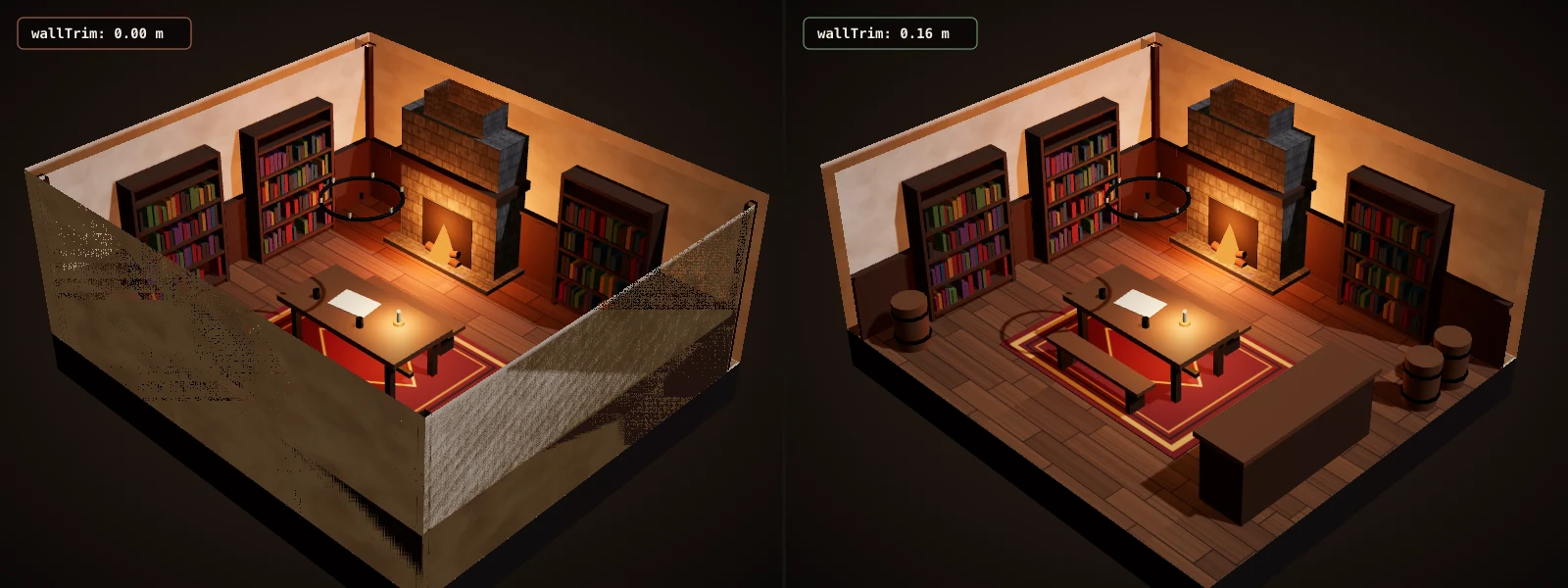
Clipping right on the wall line leaves wainscoting, shelves and frames floating or speckling across the opening. Cutting 16 cm inside the near walls (wallTrim) clears them while keeping the far walls solid out to 36 cm (wallThickness). My first render still had a thin sliver at the front corner because a 22 cm post stuck 1 cm past the cut.
03Flipping Walls on 360° Orbit
cutaway.update(camera) flips which two walls clip as you orbit 360 degrees, with an 8 cm deadzone (HYSTERESIS = 0.08) so walls don’t flicker across the X or Z axis.
04A Plinth Without Z-Fighting
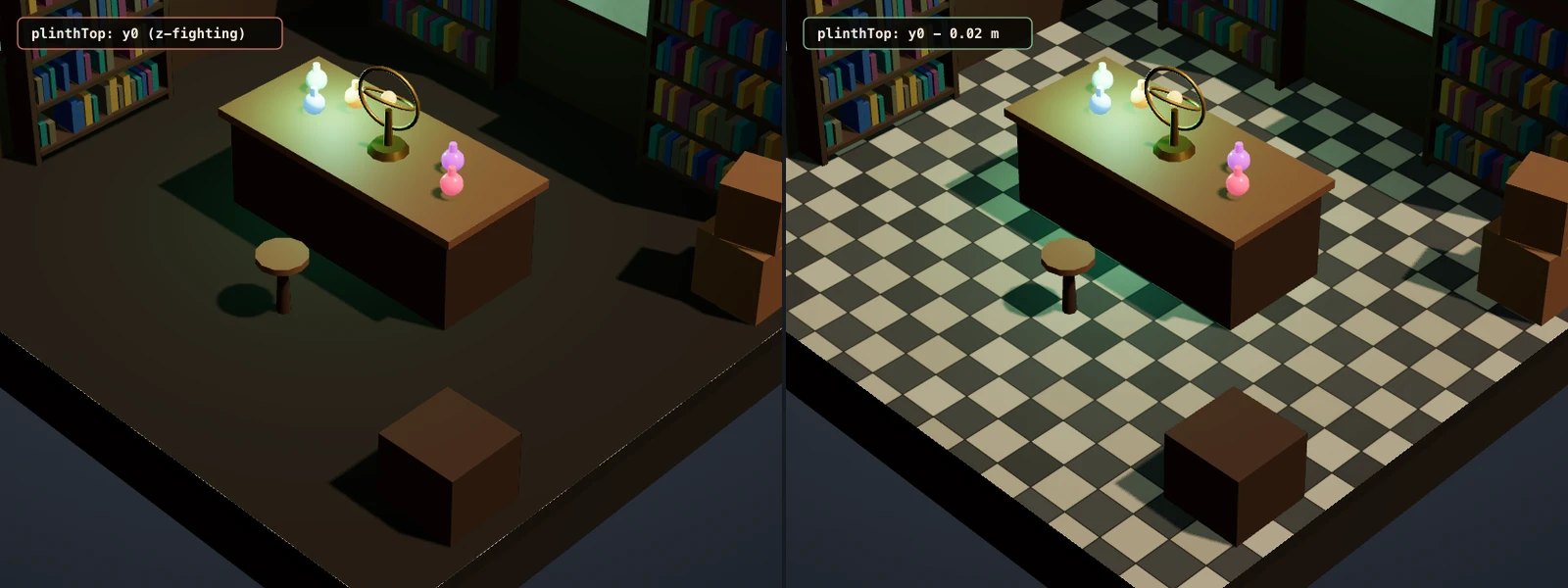
A sliced room floating in black reads like paper, so we put a dark plinth slab under the floor and a radial gradient behind it. Putting the plinth top at y = 0 fought with the floor tiles. Dropping it 2 cm (y0 - 0.02) fixed it.
05Solid Cut Caps
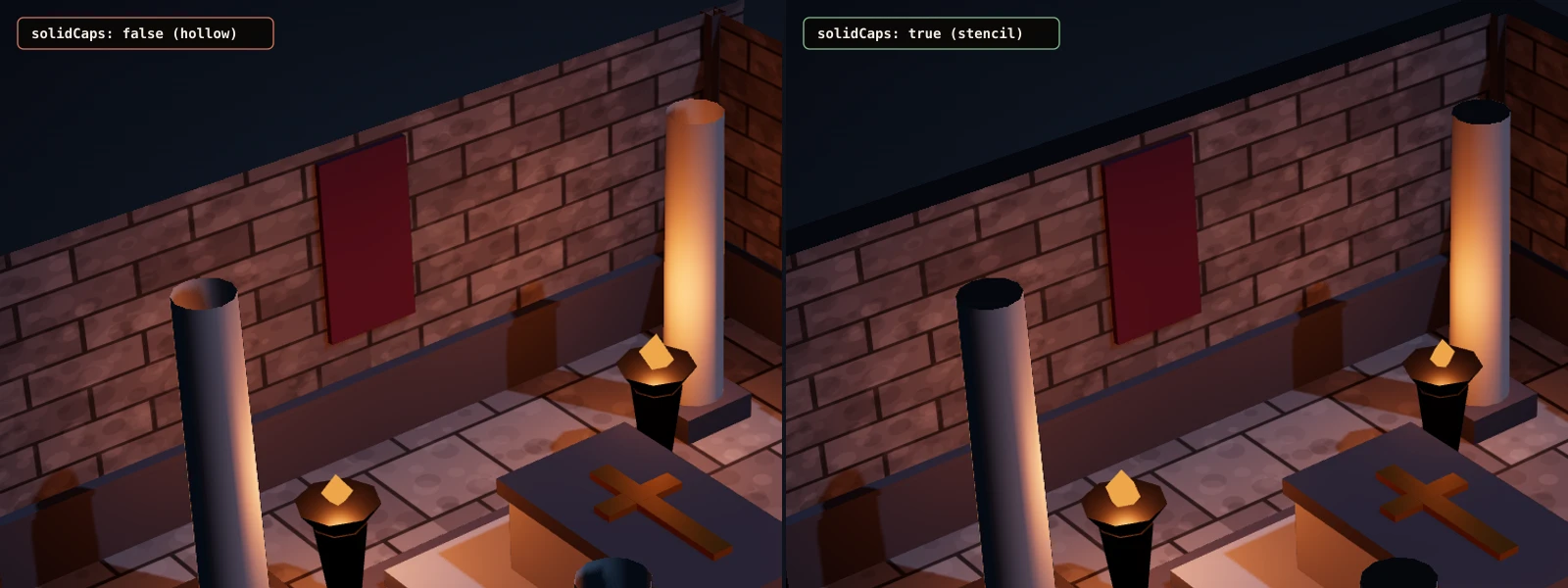
Slicing through walls, chimneys and columns exposes their hollow insides. A stencil pass on the three cut planes fills every sliced face solid (back faces increment, front faces decrement, and a cap quad draws where stencil isn’t zero).
One trap: Three.js defaults stencil to false on WebGLRenderer. Without stencil: true, the cap quad turns the whole room into a black cube.
Grab the MIT module on GitHub at three-isometric-cutaway, see it on real rooms in the Realm of Myr Asset Library, or try the demo at d20adventures.com.